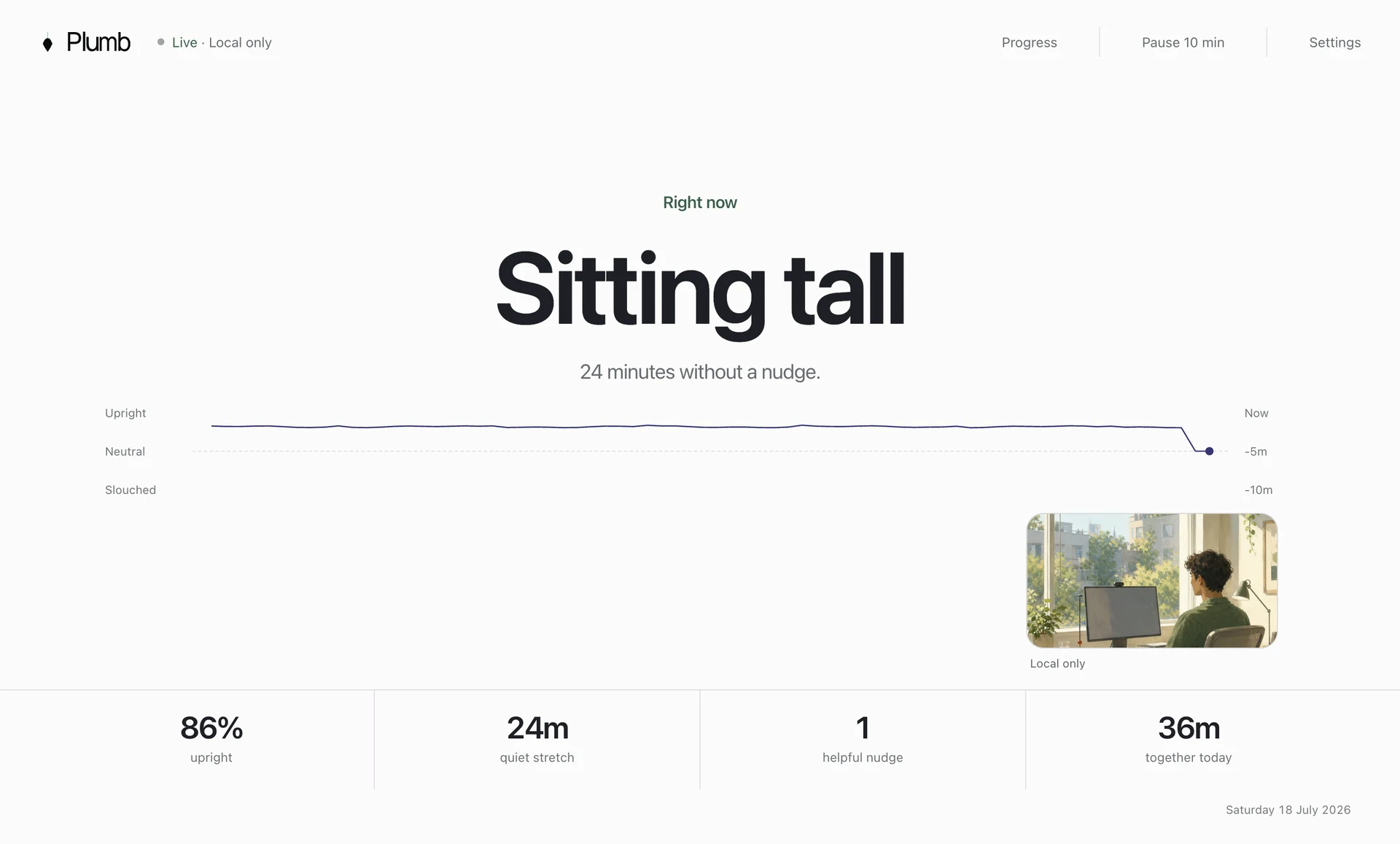
If your posture problem happens mainly at a Mac, start with software. Choose Plumb for quiet personalised coaching, Slouch Sniper for firm screen dimming, SitApp for cross-platform use, SitTall for camera-free AirPods tracking, Dorso for open source, or BLiiNK for a broader desk-wellness system. Keep the Upright GO when you need feedback away from a screen.
The short answer
Choose an alternative based on where you need reminders
Upright GO vibrates when the sensor on your back moves away from the position you set. If you want an alternative that reacts to your posture, choose another posture tracker. A repeating timer is cheaper, but it will tell you to sit up even when you are already comfortable or away from the desk.
Start with location. A wearable follows you into meetings, the kitchen, a standing task, or a walk. A webcam app works while you sit at a computer. An AirPods app can follow your head movement while you wear compatible earbuds.
Try software during a normal desk day before buying another device. If the moments you want to change happen outside camera view, stay with a wearable.
Before the shortlist
Why people replace the Upright GO
You forget to wear or charge it
A wearable only helps when it is charged, attached, connected, and worn. If you regularly forget one of those steps, choose software that starts on your computer.
You only need reminders at your computer
A vibration works wherever you wear the device. A screen reminder appears while you work at the computer. An AirPods app follows your head while you wear compatible earbuds.
You want head and shoulder tracking
A back sensor measures the angle of the device. A camera can compare the position of your head and shoulders. A wearable keeps working when no camera can see you.
None of those points makes the Upright GO a poor product. It makes it specific. If you value portable vibration and dislike cameras, it remains the cleanest answer. See the full Plumb vs Upright GO comparison before switching merely because software appears cheaper.
Choose in 30 seconds
Which Upright GO alternative should you choose?
Choose Plumb. It learns three personal positions, waits for drift to persist, and tracks recovery locally.
Choose SitApp. Its free daily allowance also makes it the easiest broad-platform experiment.
Choose Slouch Sniper. Screen dimming remains present until you return to the position you calibrated.
Choose SitTall with compatible AirPods. It follows head angle without looking at your upper body.
Choose Dorso. It offers local camera or AirPods input with an open-source implementation.
Choose BLiiNK. It also reminds you to blink, move, drink water, and adjust screen distance.
At a glance
Compare the six alternatives
| Option | Signal | Best for | Main trade-off |
|---|---|---|---|
| Plumb | Mac camera | Mac users who want quiet, posture-aware feedback and local recovery trends | Mac only, and useful only while the camera can see you at your desk |
| SitApp | Webcam posture detection using on-device AI | People who move between Mac, Windows, and Linux or want a permanent free tier | Its broad cross-platform experience may feel busier than a focused Mac-only coach |
| Slouch Sniper | On-device webcam posture detection | People who ignore gentle notifications and want the screen to dim until they recover | The firm feedback can be too disruptive for calls, presentations, or concentration-heavy work |
| SitTall | AirPods six-axis motion sensors sampled locally on the Mac | Apple Silicon Mac users who own compatible AirPods and do not want camera access | It follows head angle rather than the fuller head-and-shoulder view available to a camera |
| Dorso | Mac camera or AirPods motion sensors | Mac users who value open source, local processing, and camera or AirPods input | The open-source route asks for more technical confidence than a polished commercial app |
| BLiiNK | Periodic on-device AI checks rather than continuous posture monitoring | People who want posture, blinking, viewing distance, hydration, and movement in one tool | Posture is one part of a wider desk-wellness system rather than the entire product |
Use the table to remove products that do not work with your computer or preferred tracking method. Check the product page for the current price before paying.
Detailed recommendations
Detailed reviews of each Upright GO alternative
Best quiet Mac coach
Plumb: quiet webcam posture reminders for Mac
Plumb asks you to show it sitting tall, your natural slump, and the looking-down position you use with a phone. It compares live pose landmarks with those examples, waits for a poor position to persist, then brings in a screen-edge cue. Once you recover, the cue clears and the session records the recovery.
Plumb suits Mac users who want a quiet reminder and local recovery history. Plumb needs a clear camera view and only works on Mac. It cannot coach you while walking around or sitting somewhere outside frame.
Price: $3.99 monthly, $34.99 yearly, or $89.99 lifetime. Trial: three days, no card, starting when monitoring begins.
Compare Plumb with Upright GOCamera-based desktop app
SitApp: the broadest cross-platform option
SitApp works on Mac, Windows, and Linux. It uses your webcam to detect posture and offers a permanent free tier, so you can test it during a normal workday before paying.
Choose it when: People who move between Mac, Windows, and Linux or want a permanent free tier. Look elsewhere when: Its broad cross-platform experience may feel busier than a focused Mac-only coach.
Feedback: A Droid with silent, voice, or visual nudges when slouching begins. Privacy: On-device processing; SitApp says footage is not uploaded or saved and detection works offline. Price: Free plan; Pro is $34.99 yearly or $89.99 lifetime.
Read the Plumb comparisonCamera-based posture app
Slouch Sniper: screen dimming when you slouch
Slouch Sniper dims your display when it detects slouching and restores it after you recover. The stronger interruption suits people who dismiss ordinary notifications.
Choose it when: People who ignore gentle notifications and want the screen to dim until they recover. Look elsewhere when: The firm feedback can be too disruptive for calls, presentations, or concentration-heavy work.
Feedback: Screen dimming that clears when the user returns to an upright position. Privacy: On-device processing; Slouch Sniper says webcam footage is not recorded, stored, or transmitted. Price: $19 lifetime when checked, with a stated future price of $38.
Read the Plumb comparisonAirPods posture tracker
SitTall: posture feedback through compatible AirPods
SitTall uses motion sensors in compatible AirPods on an Apple Silicon Mac. It avoids camera access entirely and can follow head angle while the earbuds remain connected.
Choose it when: Apple Silicon Mac users who own compatible AirPods and do not want camera access. Look elsewhere when: It follows head angle rather than the fuller head-and-shoulder view available to a camera.
Feedback: A gentle notification after poor posture persists, with snooze controls. Privacy: No camera, no account, no analytics, no cloud, and local motion analysis. Price: One-time Mac App Store purchase with no subscription; verify the current storefront price.
Read the Plumb comparisonOpen-source Mac posture app
Dorso: open source with camera or AirPods input
Dorso publishes its source code and supports either a Mac camera or compatible AirPods. It responds with screen blur or an overlay.
Choose it when: Mac users who value open source, local processing, and camera or AirPods input. Look elsewhere when: The open-source route asks for more technical confidence than a polished commercial app.
Feedback: A progressive screen blur or configurable on-screen overlay that clears after correction. Privacy: Local Mac processing with source code available for inspection. Price: Open-source release; storefront pricing can vary.
Read the Plumb comparisonScreen-wellness desktop app
BLiiNK: one system for several desk habits
BLiiNK treats posture as one part of a wider screen-wellness routine. Its checks also cover blinking, viewing distance, hydration, and movement, which can reduce the number of separate utilities running during a workday.
Choose it when: People who want posture, blinking, viewing distance, hydration, and movement in one tool. Look elsewhere when: Posture is one part of a wider desk-wellness system rather than the entire product.
Feedback: Customisable action-based notifications for posture, blinking, distance, hydration, and movement. Privacy: Local AI works without internet after download; official policy covers account and site data. Price: Free for individuals; business and enterprise pricing is custom.
Read the Plumb comparisonThe cost people miss
Compare the daily setup as well as the price
Upright GO charges an upfront hardware price. Most software alternatives use a subscription or lifetime licence. Your daily setup also matters: you may need to charge and attach a wearable, keep AirPods in, grant camera access, or start a monitoring session.
Choose the setup you will remember to use. A cheap app provides no value if you stop opening it. A product with many wellness features may also send more reminders than you want.
You want portable vibration, work away from a screen, and will keep wearing it.
Your drift happens at a computer and you want head-and-shoulder context with no wearable.
You own compatible earbuds, dislike camera access, and mainly care about head angle.
Still comparing the wider category? The posture app buyer’s guide covers fourteen tools, including games, break timers, screen locks, camera coaches, AirPods tracking, and wearables.
Common questions
Questions worth answering before you decide
What is the best Upright GO alternative for working at a Mac?
Choose by feedback style. Plumb suits quiet, personalised Mac coaching; Slouch Sniper uses firmer screen dimming; SitTall uses compatible AirPods instead of a camera; and SitApp is the broadest cross-platform option. Keep the Upright GO if you need feedback away from a computer.
Is there a free alternative to Upright GO?
SitApp offers a permanent free tier with limited daily monitoring, Dorso publishes open-source software, and BLiiNK currently offers a free individual plan. Check current product and storefront terms before installing because pricing changes.
Can a webcam posture app replace a wearable?
At a desk, a webcam app can detect head-and-shoulder changes without anything to wear or charge. A wearable remains more useful when you walk, drive, cook, stand away from a screen, or work where no camera can see you.
Which alternative works without a camera?
SitTall uses motion sensors in compatible AirPods on an Apple Silicon Mac. The Upright GO itself also avoids a camera because it uses a body-worn sensor. Each sees less of the upper body than a camera but works in situations where camera access is undesirable.
Should I choose posture detection or a break timer?
Use posture detection for feedback tied to sustained drift. Use a break timer for movement, screen rest, or a change of task. They solve different problems and can work together.
References