Buyer’s guide
The best posture apps for Mac in 2026
Compare fourteen Mac posture tools by tracking method, reminder style, privacy, free access, supported platforms, and price.
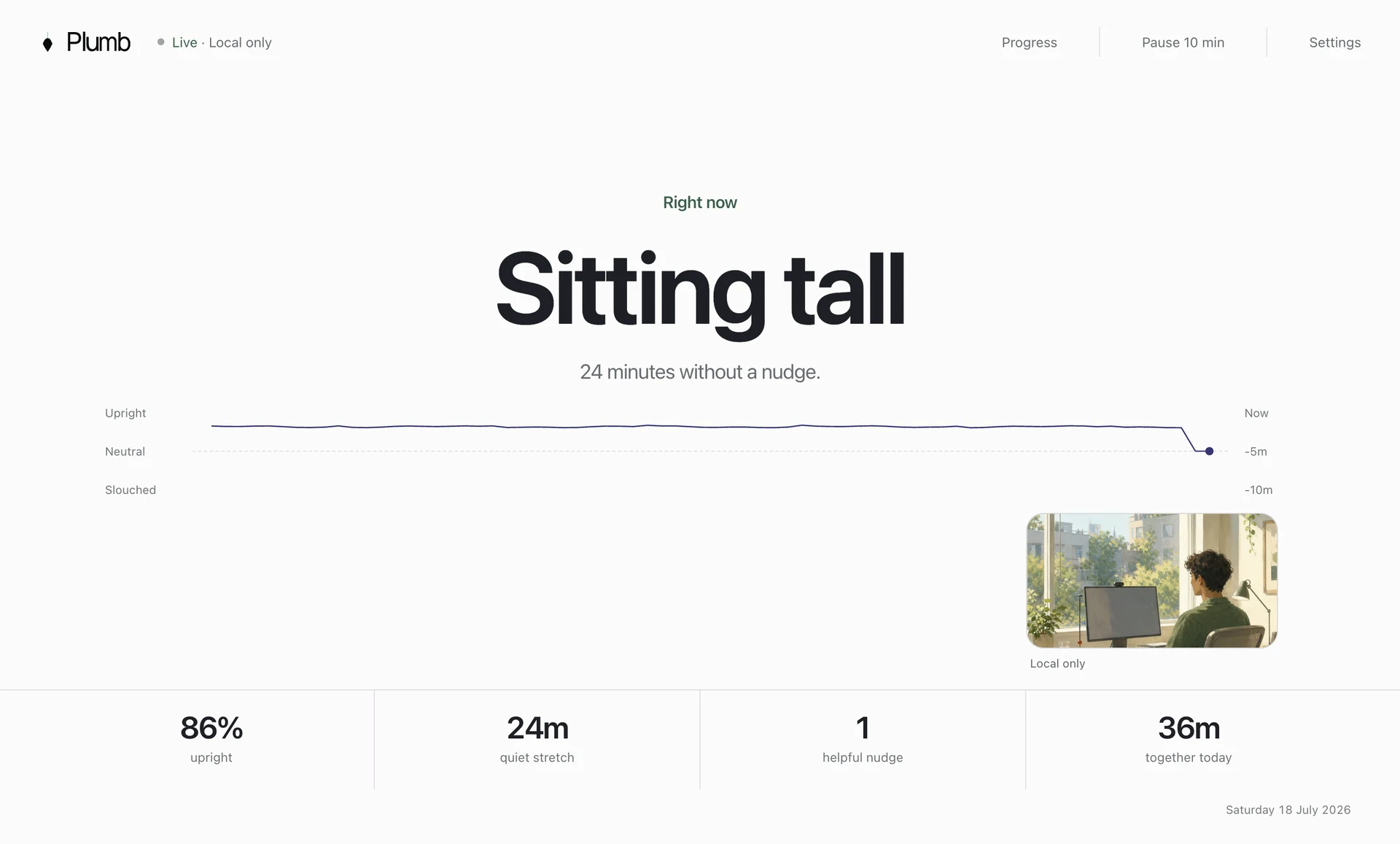
Choose the kind of reminder you are likely to respond to. Plumb and SitApp show quiet cues. Slouch Sniper dims the screen. Posture Sensei can lock it. LookAway schedules breaks. Upright GO vibrates on your back. SitTall tracks head angle through AirPods.
The short list
The 6 best posture apps for common use cases
Start with the row that describes what you need. Then check the drawback before downloading or buying the app.
Quiet reminders after you remain slouched
A generous free plan across Mac, Windows, and Linux
People who dismiss normal notifications without noticing
People who already wear compatible AirPods or Beats all day
Posture feedback that follows you beyond a Mac session
Technical Mac users who want camera or AirPods tracking
Our recommendation
Start with a quiet reminder, then choose stronger feedback if you keep ignoring it.
Choose Plumb for quiet posture-aware coaching on Mac, SitApp for a capable free plan, Slouch Sniper for firmer screen feedback, SitTall for camera-free tracking, UPRIGHT GO for feedback away from the desk, or Dorso for open-source control.
At a glance
Compare all fourteen options
“Posture app” covers several different products. Some watch posture continuously. Some respond to a timer. Others require earbuds or a sensor worn on the body.
| Product | Best for | How it responds | Price checked 23 July 2026 |
|---|---|---|---|
| Plumb | Quiet reminders after you remain slouched | A quiet reminder after sustained drift that clears when you recover | $3.99 monthly, $34.99 annually, $89.99 lifetime, or $45 founding lifetime |
| SitApp | A generous free plan across Mac, Windows, and Linux | A Droid with silent, voice, or visual nudges when slouching begins | Free plan; Pro is $34.99 yearly or $89.99 lifetime |
| Slouch Sniper | People who dismiss normal notifications without noticing | Screen dimming that clears when the user returns to an upright position | $19 lifetime when checked, with a stated future price of $38 |
| SitTall | People who already wear compatible AirPods or Beats all day | A gentle notification after poor posture persists, with snooze controls | One-time Mac App Store purchase with no subscription; verify the current storefront price |
| Upright GO | Posture feedback that follows you beyond a Mac session | A gentle vibration when the wearable detects slouching | $79 sale price when checked, reduced from $99.95 |
| Dorso | Technical Mac users who want camera or AirPods tracking | A progressive screen blur or configurable on-screen overlay that clears after correction | Open-source release; storefront pricing can vary |
| Posture Reminder AI | Families who want a mature Mac-native subscription | Gentle macOS reminders after detected posture drift | $9.99 monthly or $99.99 annually; annual plan includes Family Sharing |
| StopSlouching | Trying posture detection before installing a desktop app | Posture alerts paired with a targeted stretch | Sale pricing from $2.99 monthly or $39.99 lifetime; 14-day money-back guarantee |
| LookAway | Eye strain, long sessions, and scheduled digital-wellness breaks | Pre-break countdowns, break screens, blink and posture nudges, and optional Mac lock | $19 single direct licence or $29 personal two-seat licence; includes one year of updates |
| SuperShrimp | People motivated by scores, XP, levels, and competition | A notification with posture preview when the score drops | $17 launch lifetime price, planned to rise to $29 |
| Posture Sensei | Mac users who want posture to have immediate consequences | Live anime battle, character health, and an OS-level screen lock after sustained poor posture | One-time Mac App Store purchase; current storefront price should be checked |
| Straighty | Combining desk monitoring with camera-guided movement | Gentle sound or visual alerts when slouching or hunching is detected | Free when checked |
| Posturo | Cross-platform progress sync and employer administration | Instant alerts and basic or Pro coaching when alignment drifts | Free plan; Pro pricing is presented on the official pricing flow |
| BLiiNK | Posture, blinking, viewing distance, hydration, and movement prompts | Customisable action-based notifications for posture, blinking, distance, hydration, and movement | Free for individuals; business and enterprise pricing is custom |
How to choose
How to choose a posture app for Mac
Start with two questions: what can the product track, and what happens when it detects a problem? You may ignore a reminder that is too quiet or disable an app that interrupts you too aggressively.
Decide what the app should sense
A camera can compare your head and shoulders. AirPods avoid camera access but only work while worn. A body sensor follows you away from the desk. A timer cannot tell whether you are slouching.
Choose an interruption you can tolerate
Quiet notifications suit deep work. Dimming, blur, games, and screen locks help people who ignore subtle cues. Timed break screens are better for long sessions and eye strain than posture-specific correction. Our guide to posture reminder timing explains how to tune each type.
Check the daily setup
Check calibration time, camera angle, charging, earbuds, accounts, daily limits, pause controls, and whether the app copes with meetings or an external monitor.
Use the trial on a normal workday
Count false alerts, check battery use, and notice whether you still respond by mid-afternoon. Test calls, reading, writing, and your external-monitor setup.
Detailed recommendations
Detailed reviews of all 14 posture apps
Each review tells you who the app suits, how it tracks posture, what you need to install or wear, what happens when you slouch, and the main drawback.
Our pick for focused Mac work
Plumb
Quiet reminders after you remain slouchedChoose Plumb if you use a Mac, want a quiet reminder, and want camera frames and posture history to stay on the computer.
During setup, you record upright, slouched, and looking-down positions. The separate looking-down example helps Plumb distinguish your usual slump from work with a notebook, tablet, or phone. The app records how often you sit back up after a reminder.
On-device camera analysis calibrated to your upright, natural slump, and looking-down postures
macOS
Three-day no-card trial that starts with the first monitored session
Plumb is Mac-only and needs a camera angle that can see your working position. It is a poor fit if you keep the laptop closed beside an external display or do not want to grant camera access.
Best free posture app
SitApp
A generous free plan across Mac, Windows, and LinuxChoose SitApp if you need Windows or Linux support, or want one free hour of camera-based posture tracking each day.
The free plan includes on-device detection, alerts, and a daily progress dashboard. It also includes a Droid character, streaks, named slump patterns, voice alerts, and saved desk setups.
Webcam posture detection using on-device AI
macOS, Windows, and Linux
Free-forever plan with one hour of daily monitoring; Pro has a seven-day trial
The character, streaks, and broader dashboard will appeal to some people and feel busy to others. Its two-posture calibration also handles looking down less explicitly than Plumb’s separate third pose.
Best hard-to-ignore reminder
Slouch Sniper
People who dismiss normal notifications without noticingSlouch Sniper turns the screen into the consequence. When it detects slouching, the display dims until you sit upright again.
The app runs locally, supports Windows and Apple Silicon Macs, tracks posture trends, and was sold as a low-cost one-time purchase when checked.
On-device webcam posture detection
Windows and Apple Silicon Mac
Browser preview; no desktop-app trial is advertised
Screen dimming can interrupt design work, video calls, presentations, or any task where colour and visibility matter. Choose it only if ordinary notifications are too easy to ignore.
Best camera-free Mac app
SitTall
People who already wear compatible AirPods or Beats all dayChoose SitTall if you work with the laptop closed or do not want to grant camera access and already wear compatible AirPods or Beats.
Head movement is sampled locally on an Apple Silicon Mac, and a gentle notification appears after poor posture persists. There is no account, cloud processing, or separate wearable to buy if compatible earbuds are already part of the workday.
AirPods six-axis motion sensors sampled locally on the Mac
Apple Silicon Mac running macOS 14 or later
No public free trial documented
The posture signal disappears when the earbuds come out. It also measures head orientation rather than seeing the relationship between your head, shoulders, desk, and screen.
Best away from the desk
Upright GO
Posture feedback that follows you beyond a Mac sessionChoose UPRIGHT GO 2 if you want posture reminders while standing, walking, cooking, or working away from a computer.
The small sensor sits on the upper back and vibrates when the wearer slouches. Its app provides training plans and progress data, while the device itself is independent of whichever computer happens to be open.
Motion sensors in a device worn on the upper back
UPRIGHT companion app on iOS and Android
No software-only trial; the hardware purchase is required
You must buy the sensor, charge it, and attach it with adhesive or a necklace. It cannot remind you when you forget to wear it.
Best open-source option
Dorso
Technical Mac users who want camera or AirPods trackingChoose Dorso if you want open source code, local processing, and the option to track through a camera or compatible AirPods.
You can use a webcam on any Mac or compatible AirPods with the laptop lid closed. When posture slips, Dorso can blur, glow, border, or cover the screen, then remove the effect after correction.
Mac camera or AirPods motion sensors
macOS
Source release can be built or downloaded; App Store availability is linked from the project
Its blur and screen overlays interrupt more than a notification. Installing or changing an open-source utility may also require more technical confidence.
Best App Store subscription
Posture Reminder AI
Families who want a mature Mac-native subscriptionChoose Posture Reminder AI if you want an established App Store app, Intel Mac support, Continuity Camera, or Family Sharing.
Setup teaches the app an upright position and a usual slump. It works with built-in cameras, external webcams, and Continuity Camera, making it unusually flexible across Mac desk setups.
On-device pose estimation for head, neck, and shoulder alignment
Current macOS release on Intel and Apple Silicon Macs
Full-featured no-card trial
At $9.99 monthly or $99.99 annually when checked, it is one of the most expensive software options in this list. Its public setup flow does not describe a separate looking-down pose.
Best browser-first option
StopSlouching
Trying posture detection before installing a desktop appChoose StopSlouching if you want to test webcam posture tracking in a browser before installing an app.
Its on-device model can run in major desktop browsers, and paid plans add unlimited detection, configurable timing, session history, a Chrome extension, and a native Windows tray app.
On-device webcam pose model in the browser or Windows app
Browser on Windows, Mac, and Linux; native Windows tray app
60 lifetime minutes with no signup or card
Safari and Firefox need the tab to remain visible for detection, and the native desktop app is currently Windows-first. Background use is less convenient on a Mac.
Best for screen breaks
LookAway
Eye strain, long sessions, and scheduled digital-wellness breaksLookAway is the best choice when the real problem is uninterrupted screen time rather than undetected slouching.
It includes automatic pause rules, break screens, blink and posture prompts, per-app schedules, a Screen Score, automations, and optional iPhone sync. It does not need a camera.
Activity-aware schedules and idle detection rather than camera posture classification
macOS 13 or later, with optional iPhone sync through LookAway Mirror
Trial availability varies by distribution channel and does not auto-charge on the Mac App Store
Its posture prompts follow a schedule. The app cannot see whether you are upright or slouching when the prompt appears.
Best gamified progress
SuperShrimp
People motivated by scores, XP, levels, and competitionSuperShrimp makes posture visible and rewarding through daily scores, weekly trends, XP, ten evolution levels, and a leaderboard.
It supports Mac, Windows, and Linux, works with built-in or external cameras, runs its model locally, and currently sells as an inexpensive one-time licence with a 30-day money-back guarantee.
Webcam analysis using on-device AI
macOS, Windows, and Linux
No free tier; 30-day money-back guarantee
The scoreboard, evolving character, and leaderboard stay visible as part of the product. Avoid it if you do not want posture turned into a game.
Strongest enforcement
Posture Sensei
Mac users who want posture to have immediate consequencesPosture Sensei turns slouching into an anime battle and can cover the screen until you hold good posture for twenty seconds.
Apple Vision tracks posture locally while guardians respond to each shift. The app supports custom strictness, external cameras, multiple monitors, an optional AirPods signal, and a one-time App Store purchase.
Apple Vision camera tracking, with optional AirPods awareness
macOS 14 or later; Apple Silicon recommended
No public free trial documented
The screen lock is intentionally disruptive. It can break deep work, meetings, or time-sensitive tasks, even though the app includes pause controls.
Best with guided yoga
Straighty
Combining desk monitoring with camera-guided movementChoose Straighty if you want local desk-posture alerts and camera-guided yoga in the same free app.
The core product is free, includes a browser demo, and provides visual or sound alerts when it detects slouching or hunching. It suits someone who wants movement coaching inside the same product.
Local camera-based posture analysis
macOS 15 or later
Free download and a browser demo for core posture monitoring
It requires macOS 15 or later, and its public material provides less detail about long-term desk-posture trends and recovery.
Best for teams
Posturo
Cross-platform progress sync and employer administrationChoose Posturo if you need Mac and Windows apps, 30 free minutes a day, synced progress, or reports for a team.
The product maps head, neck, and shoulder points locally, then syncs posture progress through an account. Business plans add administration and exportable reports.
On-device mapping of head, neck, and shoulder key points
Native apps on the Mac App Store and Microsoft Store
Free plan includes 30 minutes of posture analysis per day
Posturo uses an account to sync progress, and business plans can expose reports to an organisation. Individual users who only need local reminders may not need those features.
Best broad wellness suite
BLiiNK
Posture, blinking, viewing distance, hydration, and movement promptsChoose BLiiNK if you want one app to remind you about posture, blinking, screen distance, hydration, movement, and exercises.
Periodic on-device checks support posture, blinking, distance, exercises, hydration, and movement. The individual plan is currently free, with separate organisational options.
Periodic on-device AI checks rather than continuous posture monitoring
Desktop app; current official page should be checked for exact operating-system requirements
Individual plan is currently free with no card
Posture is one periodic check among several reminders. Choose a dedicated posture tracker if slouching is the only problem you want the app to monitor.
Camera privacy
Check what camera-based posture apps store or upload
Most camera-based products in this guide say that posture analysis runs locally and that frames are not uploaded. That removes the largest concern, but it does not answer every privacy question.
Check whether the product stores posture measurements, syncs progress, requires an account, collects product analytics, or gives an employer access to reports. Also check the practical camera boundary: whether the app can run offline, how it behaves during video calls, and whether macOS shows active camera use as expected.
Plumb processes camera frames on the Mac, discards them during use, excludes camera images and posture history from diagnostics, and keeps posture history on the device. You can read the exact boundary in the Plumb privacy policy, or use the webcam posture tracking guide to compare how camera frames, landmarks, and history can be handled.
How we compared them
How we compared the posture apps
We reviewed current official product pages, pricing pages, platform requirements, privacy statements, trial terms, and public product documentation on 23 July 2026. We then compared six practical dimensions: sensing method, feedback style, calibration, progress, privacy, and purchase model.
Plumb publishes this guide and appears in the list. Competitors did not pay for inclusion, and the links are not affiliate links. Recommendations are based on verifiable product facts and the daily routine each design creates. Products without a current official page were left out.
Common questions
Questions people ask before installing a posture app
What is the best posture app for Mac?
Plumb is our pick for Mac users who want quiet reminders after sustained posture drift, personal three-pose calibration, and local recovery trends. SitApp is the best free option, SitTall is the best camera-free option, and Slouch Sniper is the best choice for stronger screen-based enforcement.
Can a Mac detect bad posture with its camera?
Yes. Several apps use on-device computer vision to compare the position of your head and shoulders with a personal baseline. Camera angle, lighting, calibration, and the app’s reminder logic all affect how useful the result feels in practice.
Which posture app does not use a camera?
SitTall uses motion sensors inside compatible AirPods or Beats. UPRIGHT GO 2 uses a dedicated sensor worn on the upper back. LookAway uses schedules and activity signals instead of detecting posture directly.
Are webcam posture apps private?
The leading apps in this guide state that camera analysis happens on the device and that frames are not uploaded. Check whether the app stores posture metrics, requires an account, uses analytics, or syncs data before granting camera access.
Are posture reminder apps better than a timer?
A timer is useful for scheduled movement and breaks. A posture-aware app can wait until posture has drifted long enough to warrant a cue, which reduces irrelevant reminders. The better choice depends on whether the problem is long screen sessions, sustained slouching, or both.