Choose Plumb for lower-priced quiet Mac coaching, SitApp for free cross-platform use, Slouch Sniper for screen dimming, SitTall for camera-free AirPods tracking, Dorso for open source, or BLiiNK for posture plus wider screen-health reminders.
The short answer
Choose the replacement by alert style, then check platform and price
Posture Reminder AI is a polished Mac app. It learns an upright pose and a usual slump, processes the camera feed on the Mac, supports built-in, external, and Continuity cameras, and sends macOS notifications after posture drift.
A replacement should solve the specific part that does not fit. Choose the feedback you will respond to, remove tools that cannot run on your computer, then check camera access, trial limits, and price. A longer feature list will not help if the reminder interrupts every call or disappears behind your normal work.
Try the smallest change first. Test an alternative during two normal work blocks, including a call or a task that involves looking down. Keep the original if the new app adds friction without improving the correction loop.
Reasons to change
Why people look for Posture Reminder AI alternatives
You want a lower ongoing price
The official price is $9.99 monthly or $99.99 yearly. Several alternatives cost less, offer lifetime pricing, or provide a useful free tier.
You need a different kind of interruption
A macOS notification can disappear into Focus mode or become easy to dismiss. Other apps dim the screen, blur it, add a character, or use a quieter edge cue.
Your camera or operating system does not fit
Some alternatives support Windows and Linux. Others use compatible AirPods, so you can avoid camera access while accepting a narrower head-angle signal.
Price alone gives an incomplete answer. Camera placement, calibration, reminder timing, and the force of the alert decide whether you keep the app running. Read how webcam posture tracking works before judging local camera apps by the permission dialog alone.
Choose in 30 seconds
Which Posture Reminder AI alternative fits your workday?
Quiet Mac coaching with three-pose calibration and local recovery trends. Main drawback: mac only, and the camera needs a clear view.
A permanent free tier and Mac, Windows, or Linux support. Main drawback: the droid, streaks, and named slump patterns create a busier experience.
Screen dimming that is hard to dismiss. Main drawback: dimming can interrupt calls, presentations, and concentrated work.
Camera-free tracking with compatible AirPods on Apple Silicon Macs. Main drawback: it measures head angle rather than a full head-and-shoulder view.
Open-source Mac software with camera or AirPods input. Main drawback: setup and maintenance suit more technical users.
Posture, blinking, distance, hydration, and movement reminders in one app. Main drawback: posture is one part of a wider and more interruptive wellness system.
At a glance
Compare the six alternatives
| Option | Tracking | Price | Best for | Main drawback |
|---|---|---|---|---|
| Plumb | Mac camera | $3.99 monthly, $34.99 yearly, or $89.99 lifetime | Quiet Mac coaching with three-pose calibration and local recovery trends | Mac only, and the camera needs a clear view |
| SitApp | No wearable; a built-in or external webcam is required | Free plan; Pro is $34.99 yearly or $89.99 lifetime | A permanent free tier and Mac, Windows, or Linux support | The Droid, streaks, and named slump patterns create a busier experience |
| Slouch Sniper | No wearable; a built-in or external webcam is required | $19 lifetime when checked, with a stated future price of $38 | Screen dimming that is hard to dismiss | Dimming can interrupt calls, presentations, and concentrated work |
| SitTall | Compatible AirPods with head-tracked spatial audio or Beats Fit Pro | One-time Mac App Store purchase with no subscription; verify the current storefront price | Camera-free tracking with compatible AirPods on Apple Silicon Macs | It measures head angle rather than a full head-and-shoulder view |
| Dorso | Webcam or compatible AirPods; no dedicated wearable | Open-source release; storefront pricing can vary | Open-source Mac software with camera or AirPods input | Setup and maintenance suit more technical users |
| BLiiNK | No wearable; camera used for visual checks | Free for individuals; business and enterprise pricing is custom | Posture, blinking, distance, hydration, and movement reminders in one app | Posture is one part of a wider and more interruptive wellness system |
Prices and plan limits can change. Use this table to make a shortlist, then check the linked product page or storefront before paying.
Detailed recommendations
Six alternatives, with the trade-off stated clearly
Mac camera
Plumb: quiet mac coaching with three-pose calibration and local recovery trends
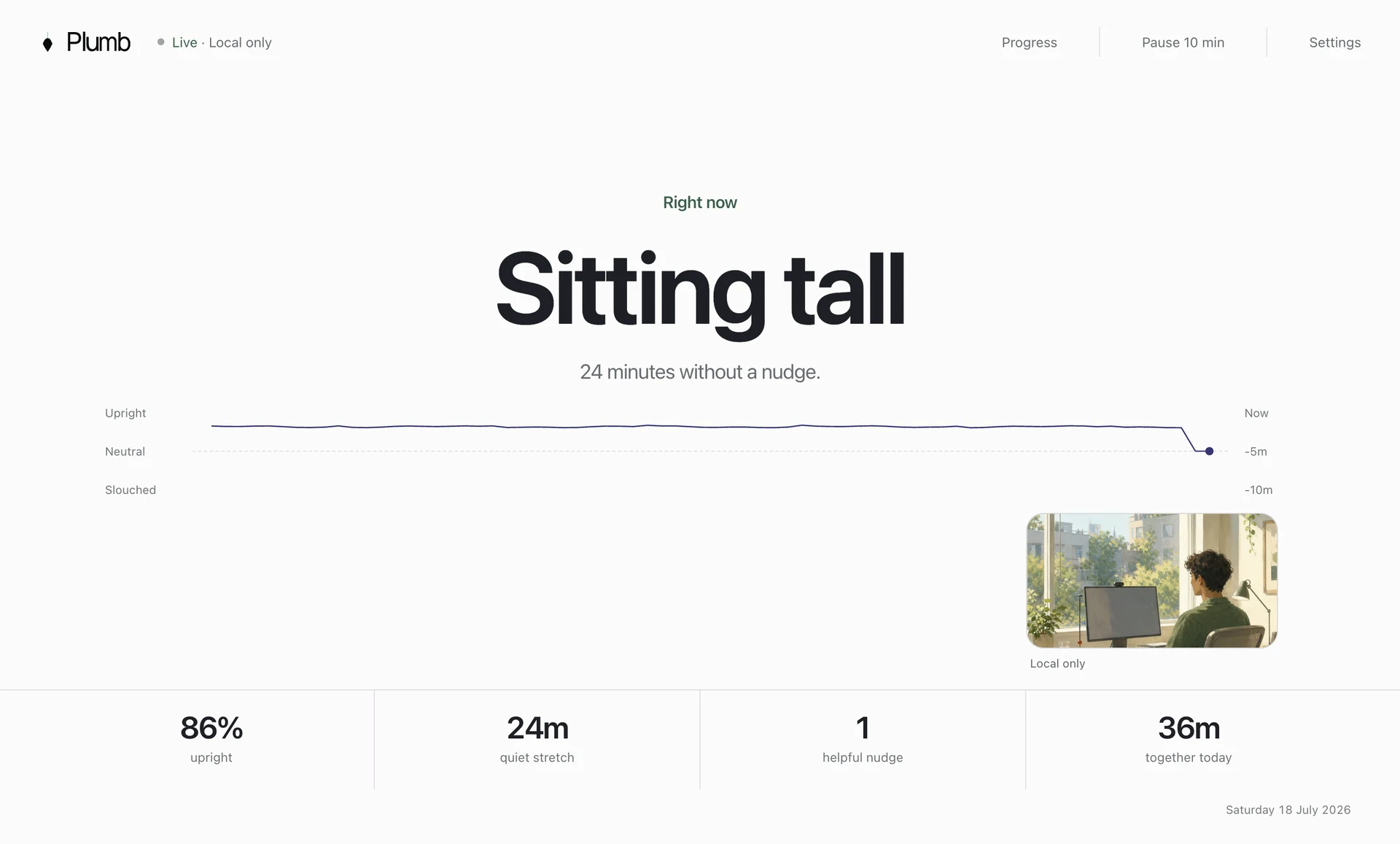
Plumb learns an upright position, your natural slump, and the looking-down pose you use with a phone or notes. It waits for poor posture to persist, shows a quiet screen-edge cue, and records whether you recover. Camera frames disappear during use, while posture history stays on the Mac.
Choose Plumb when you want a focused Mac coach with a low current price and a three-day no-card trial. Choose another option if you need Windows, Linux, portable feedback away from the desk, or a reminder that blocks the screen.
Price: $3.99 monthly, $34.99 yearly, or $89.99 lifetime. Best for: Quiet Mac coaching with three-pose calibration and local recovery trends.
See all Plumb comparisonsNo wearable; a built-in or external webcam is required
SitApp: a permanent free tier and mac, windows, or linux support
SitApp suits a permanent free tier and mac, windows, or linux support. Its approach changes the daily routine through no wearable; a built-in or external webcam is required, so test it in the position and lighting you use for real work.
The main trade-off is the droid, streaks, and named slump patterns create a busier experience. Decide whether that constraint matters during calls, deep work, travel, and any task that moves you away from the calibrated position.
Price: Free plan; Pro is $34.99 yearly or $89.99 lifetime. Best for: A permanent free tier and Mac, Windows, or Linux support.
Compare Plumb with SitAppNo wearable; a built-in or external webcam is required
Slouch Sniper: screen dimming that is hard to dismiss
Slouch Sniper suits screen dimming that is hard to dismiss. Its approach changes the daily routine through no wearable; a built-in or external webcam is required, so test it in the position and lighting you use for real work.
The main trade-off is dimming can interrupt calls, presentations, and concentrated work. Decide whether that constraint matters during calls, deep work, travel, and any task that moves you away from the calibrated position.
Price: $19 lifetime when checked, with a stated future price of $38. Best for: Screen dimming that is hard to dismiss.
Compare Plumb with Slouch SniperCompatible AirPods with head-tracked spatial audio or Beats Fit Pro
SitTall: camera-free tracking with compatible airpods on apple silicon macs
SitTall suits camera-free tracking with compatible airpods on apple silicon macs. Its approach changes the daily routine through compatible airpods with head-tracked spatial audio or beats fit pro, so test it in the position and lighting you use for real work.
The main trade-off is it measures head angle rather than a full head-and-shoulder view. Decide whether that constraint matters during calls, deep work, travel, and any task that moves you away from the calibrated position.
Price: One-time Mac App Store purchase with no subscription; verify the current storefront price. Best for: Camera-free tracking with compatible AirPods on Apple Silicon Macs.
Compare Plumb with SitTallWebcam or compatible AirPods; no dedicated wearable
Dorso: open-source mac software with camera or airpods input
Dorso suits open-source mac software with camera or airpods input. Its approach changes the daily routine through webcam or compatible airpods; no dedicated wearable, so test it in the position and lighting you use for real work.
The main trade-off is setup and maintenance suit more technical users. Decide whether that constraint matters during calls, deep work, travel, and any task that moves you away from the calibrated position.
Price: Open-source release; storefront pricing can vary. Best for: Open-source Mac software with camera or AirPods input.
Compare Plumb with DorsoNo wearable; camera used for visual checks
BLiiNK: posture, blinking, distance, hydration, and movement reminders in one app
BLiiNK suits posture, blinking, distance, hydration, and movement reminders in one app. Its approach changes the daily routine through no wearable; camera used for visual checks, so test it in the position and lighting you use for real work.
The main trade-off is posture is one part of a wider and more interruptive wellness system. Decide whether that constraint matters during calls, deep work, travel, and any task that moves you away from the calibrated position.
Price: Free for individuals; business and enterprise pricing is custom. Best for: Posture, blinking, distance, hydration, and movement reminders in one app.
Compare Plumb with BLiiNKA fair decision
Should you keep Posture Reminder AI?
Keep it when you like its two-pose setup, App Store billing, Family Sharing, flexible camera support, and notification style.
Switch when you want a lower price, a permanent free tier, Windows or Linux support, screen dimming, AirPods tracking, open source, or a broader set of desk-wellness reminders.
A posture app cannot fix small text, a low laptop, a distant keyboard, or a day with no movement.
Use the desk-slouching guide to remove the reasons you lean forward. Then use the reminder timing guide to tune the cue without creating alert fatigue.
Common questions
Questions about replacing Posture Reminder AI
What is the best alternative to Posture Reminder AI?
Choose Plumb for lower-priced quiet Mac coaching, SitApp for a free cross-platform option, Slouch Sniper for screen dimming, SitTall for camera-free AirPods tracking, Dorso for open source, or BLiiNK for a wider desk-wellness system.
Is there a free Posture Reminder AI alternative?
SitApp offers a permanent free tier with a daily monitoring allowance. Dorso is open source. BLiiNK also advertises a free individual plan. Check each current product page before installing because plan limits can change.
Which alternative works without a camera?
SitTall uses motion sensors in compatible AirPods or Beats on an Apple Silicon Mac. It tracks head angle rather than the upper-body landmarks a camera can see.
Which option works on Windows or Linux?
SitApp supports Mac, Windows, and Linux. Slouch Sniper supports Windows and Apple Silicon Macs. The other options in this guide focus on Mac.
Should I replace Posture Reminder AI if it already works for me?
Keep it if its two-pose setup, notifications, camera support, and subscription suit you. Consider another app when you need a lower price, a different alert style, another operating system, AirPods tracking, or a broader progress view.
References